
Reducing support tickets and operational load through strategic journey mapping and friction analysis
Type of Product
Saas
My Role
Product Manager
My Contribution
User Journey
End-to-End Product Management

CONTEXT
In a scheduling product for large retail stores, a client detected a gap in the daily schedule review and validation workflow.
Several Features
This friction affected several views and features.
Too many tickets
The Support and Customer Success teams were overwhelmed.
Broken flow
When switching between features, the user often get lost.


The challenge
Identifying what was wrong and why, as well as understanding customer needs. This was crucial to resolving the issue and rebuilding lost trust.

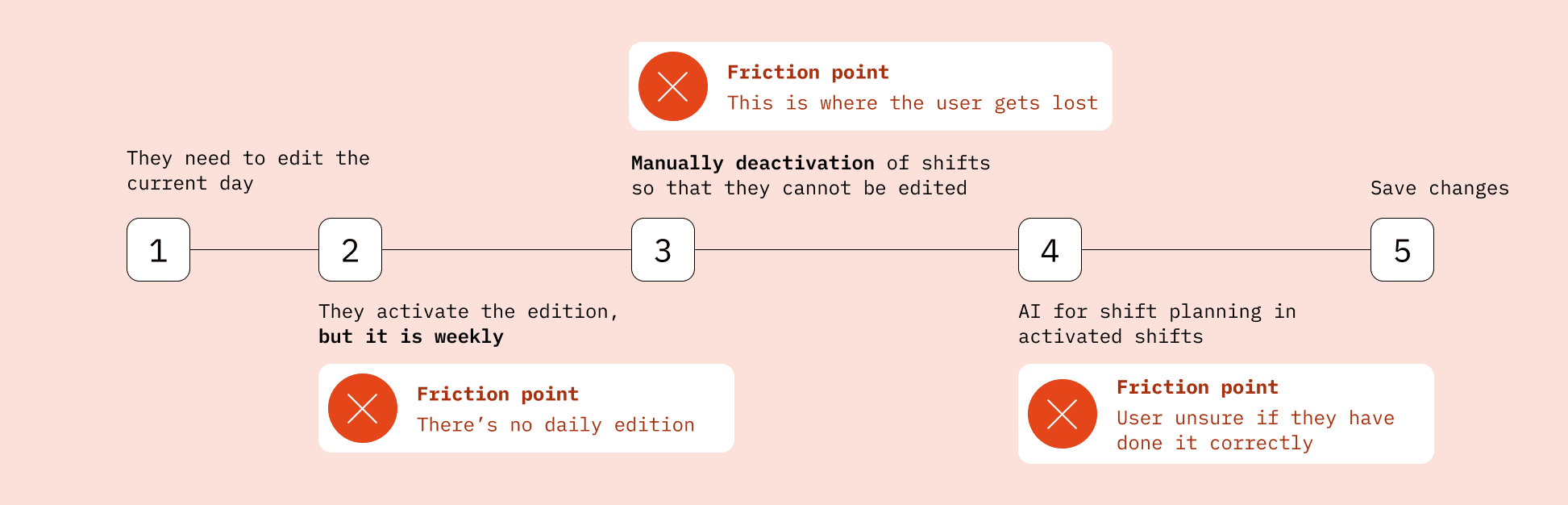
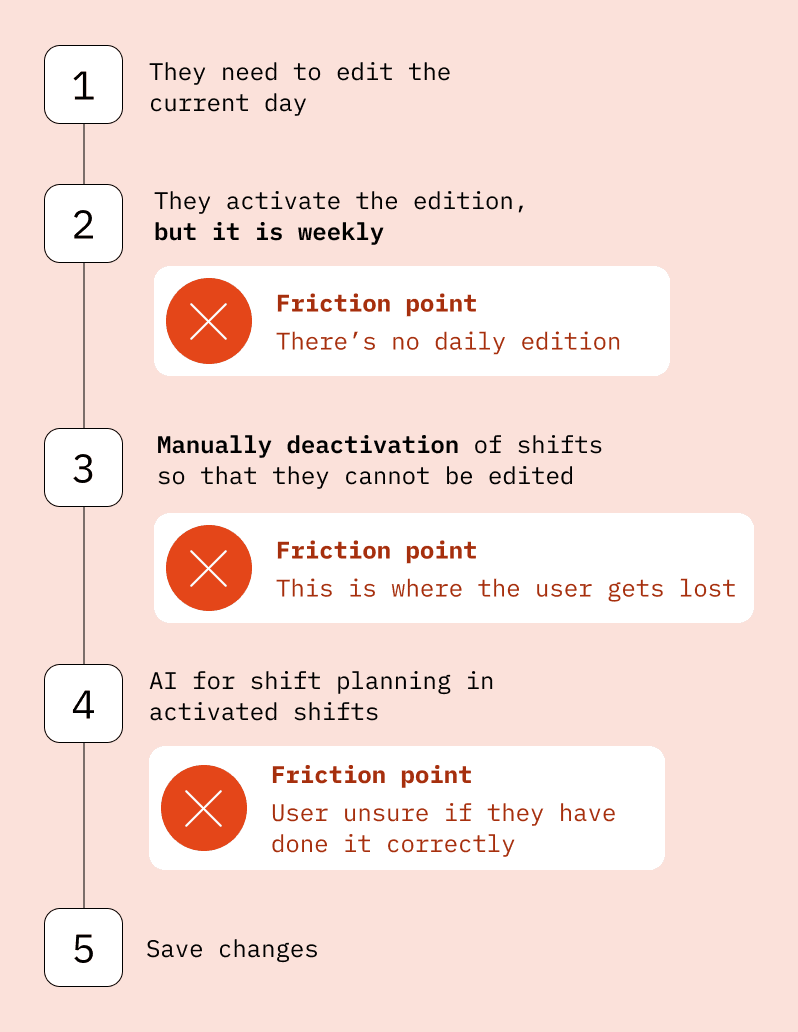
I focused on mapping the user's actions and emotional state to identify friction points. This holistic view of the flow not only facilitated diagnosis, but also significantly reduced the workload for the design and development teams.
Weekly Edition
For this client, the weekly edition was a disadvantage.
Manual deactivation
The user must disable shifts that they do not want the AI to edit.
Legislation
If the user makes a mistake when assigning shifts, there are legal consequences.

THE SOLUTION
Weekly and daily scheduling
We did not replace weekly with daily scheduling, but rather offered both options.
Smart deactivation
Deactivation/activation of shifts by groups. Block deactivation of employees' days off, sick leave, or vacations.
AI with shortcuts
Offer the option to plan only for those employees with assigned shifts, ignoring days off, sick leave, or vacations.

Results & Impact
By focusing on the key points, we devoted our efforts to what really mattered.
Not only did we adapt the workflow for this specific client, but we also created a scalable solution that can be applied to our current and future client base